Crystal transfers: move crystals between your accounts
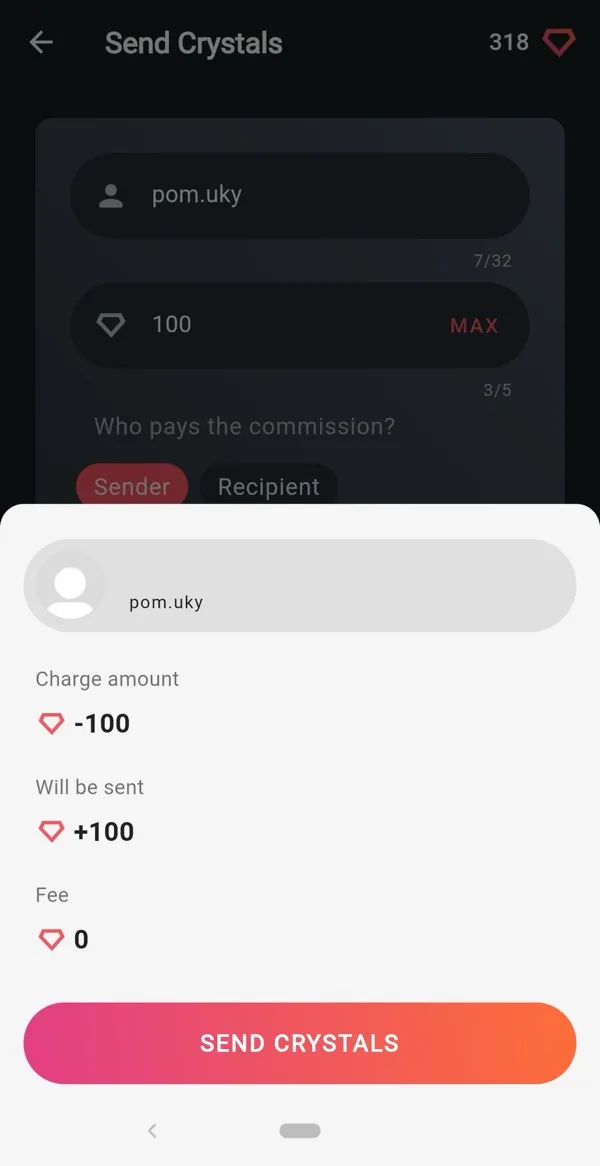
Crystals belong to the account that earned them. When you earn on one account and want to spend on another, a transfer moves the balance where you need it.
When to use a transfer
- You earn on a second account but want to place orders from your main one.
- You run AutoBot on several accounts and want to pool everything before buying a long slot in TOP.
- A friend uses Neutrino+ too and you want to give them crystals.
If you only need to promote another account, you may not need a transfer at all: Bookmarks let you order for any username from the account that holds the crystals.
How to send crystals
- Open the account you want to send from (the one with the balance).
- Go to the crystals screen and choose Send crystals.
- Enter the recipient's username, exactly as it appears in Neutrino+.
- Enter the amount and confirm.
The screen shows the amount charged, the amount the recipient receives and the fee, if there is one for your account level, before you confirm.
Limits
- Minimum per transfer: 100 crystals.
- Maximum per transfer: 10,000 crystals. Send several transfers for larger amounts.
- Transfers require positive Energy. If your Energy is below zero (for example after being reported as an unfollower), restore it first.
Switching accounts
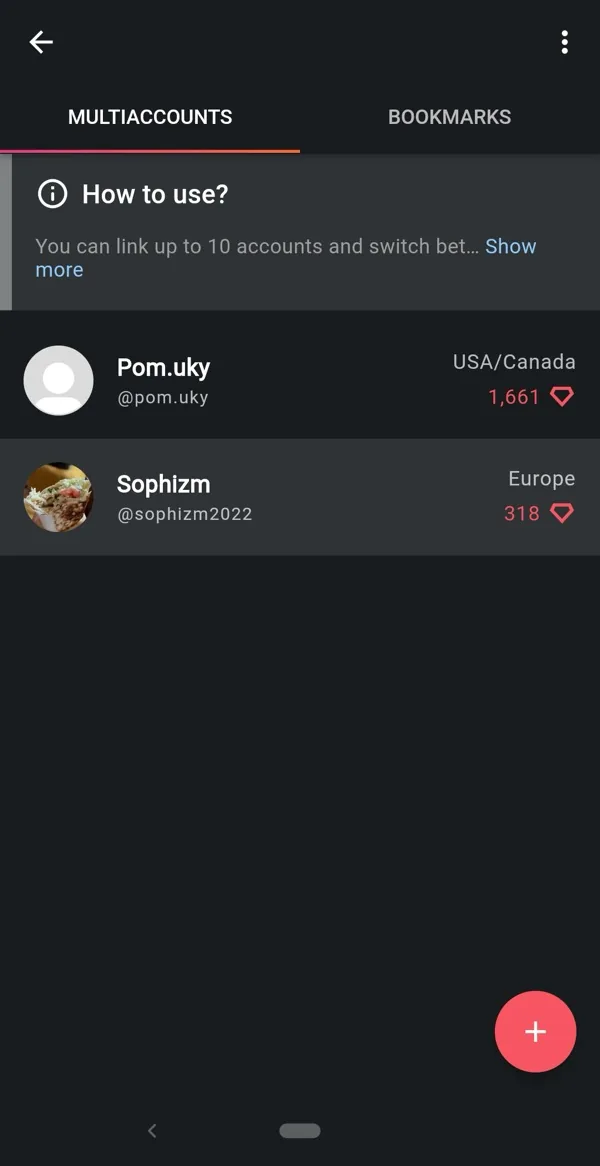
All your accounts live in Multi-account; switching takes one tap and the balance shown always belongs to the active account.
Good to know
- Double-check the username. Transfers go through instantly and cannot be reversed.
- Crystals received by transfer are spent exactly like earned ones.