AutoBot: earn crystals automatically on up to 3 accounts
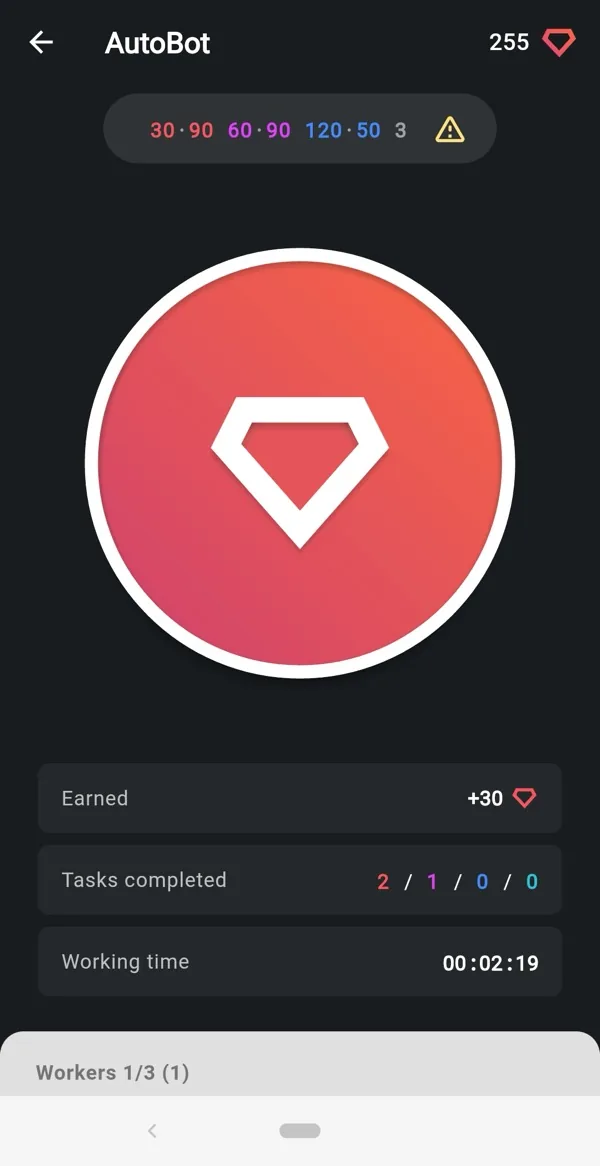
AutoBot does the earning for you: it completes tasks for other members in the background and credits the crystals to your balance. A few minutes of setup decide how much it brings and how smoothly it runs.
Start it
Open Earning → AutoBot, pick the accounts that should work and tap the big button. The screen shows crystals earned in this session, tasks completed by type, and the working time.
Choose task types and delays
Tap the gear icon on the AutoBot screen to open the settings. For each account you decide separately:
- Which tasks it does: likes, follows, comments, views, in any combination. An account that should not follow anyone can still earn on likes and views.
- The delay between tasks of each type. The app shows a recommended range; a slower pace looks more natural and is the safer choice for an account you care about.
- How many tasks per session.
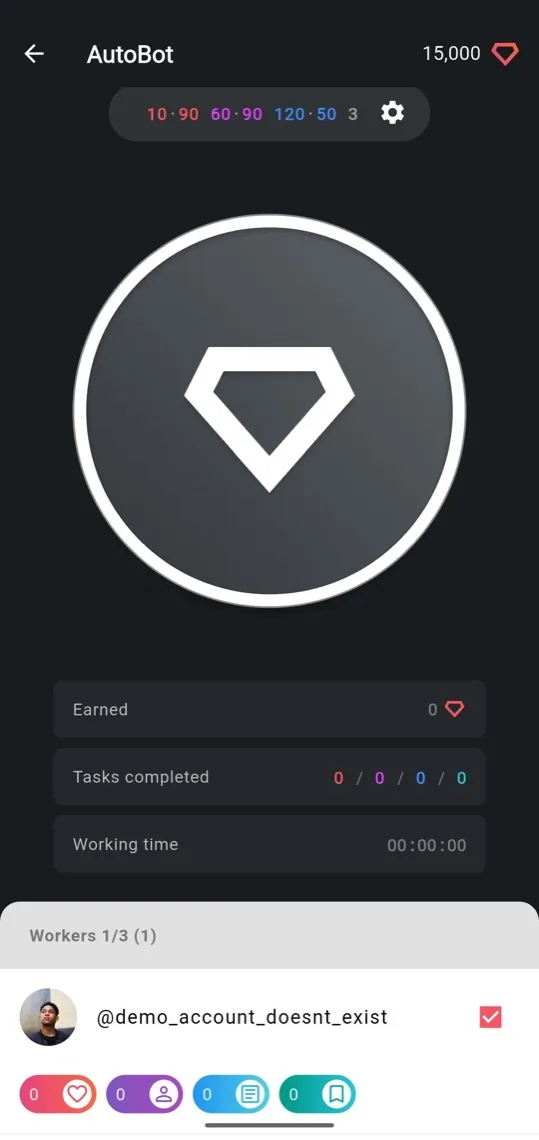
Settings are per account, so a spare account can work hard while another one takes it easy.
Run up to three accounts at once
AutoBot runs on up to three accounts in parallel, each with its own task set and delays. The Workers counter at the top of the screen shows how many are active. Add accounts in Multi-account, tick the ones that should work and start. Crystals go to the account that earned them; use crystal transfers to pool them.
When an account stops: the yellow banner
If Instagram interrupts an account, for example with a "Confirm you are not a robot" check, AutoBot pauses that account and shows a yellow error banner under it. The other accounts keep working.
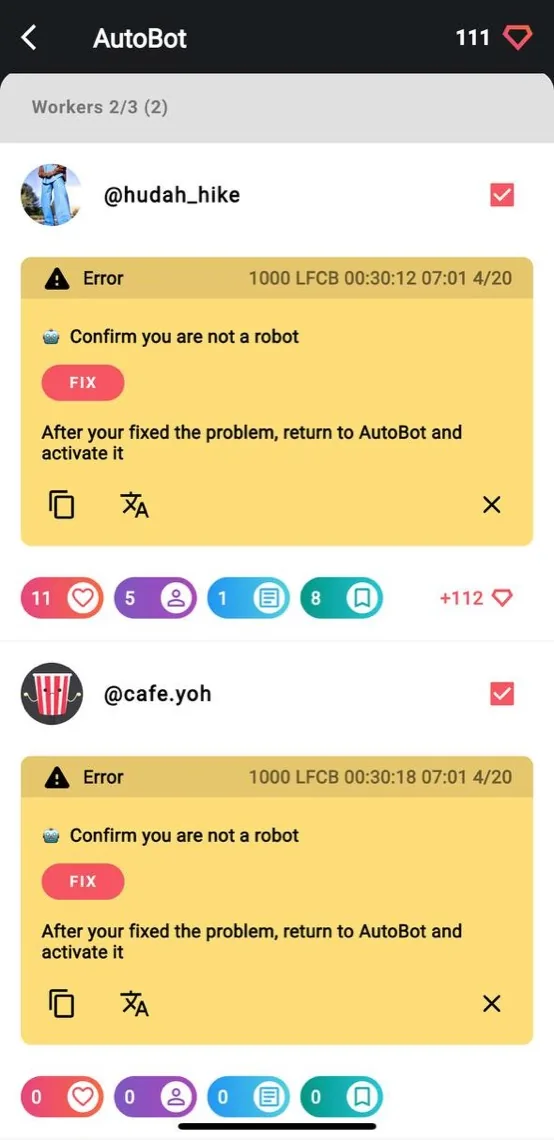
To get the account back:
- Tap FIX. The app opens the Instagram page where the problem is shown.
- Do what Instagram asks: confirm the login with a code from SMS or email, tap "it was me", or pass the check.
- Return to AutoBot and activate the account again.
This is Instagram's own check, not a ban, and it is the same one you may see when logging in from a new network. Mobile data instead of Wi‑Fi and gentler delays make it rarer.
Tips
- Use AutoBot on a second account, not on the profile you are growing.
- Start with the recommended delays; speed up only if the account has run clean for a while.
- Invite friends who will run AutoBot too: the referral program pays you a share of what they earn.